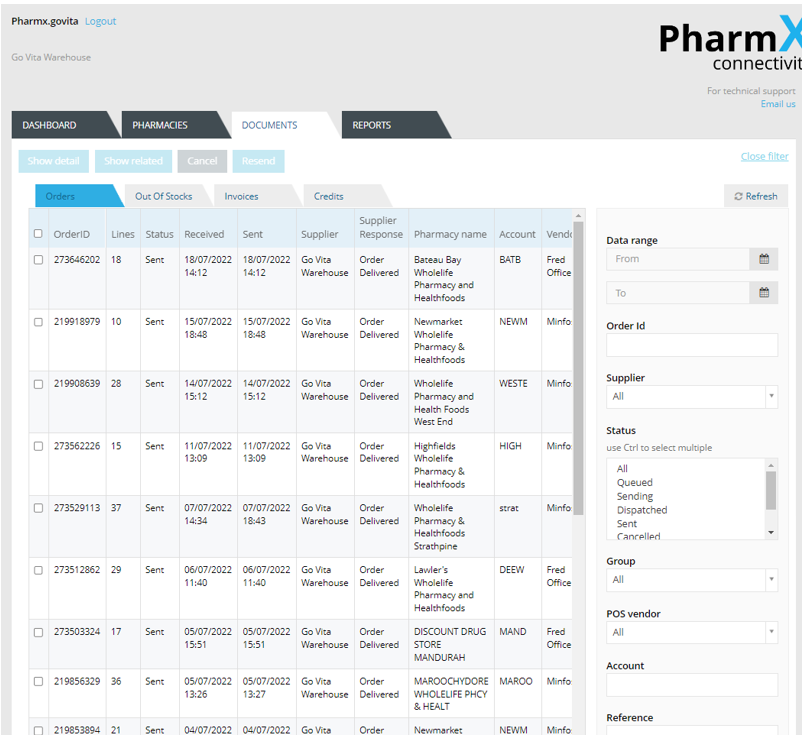
Utilising the Document Tab
The Documents tab displays the list orders, out of stock messages, invoices and credits for all your customers.

NOTE: The PharmX Gateway holds transactional data for five weeks only, so anything older than five weeks will not be displayed.
How to video
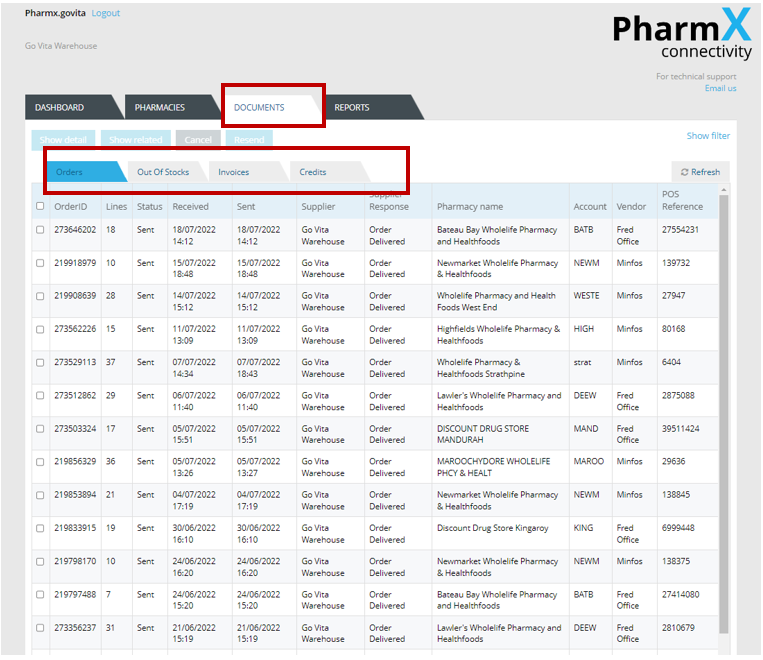
Click the ‘Documents’ tab
On this tab you will see you have the option to select Orders, Out of Stocks, Invoices or Credits
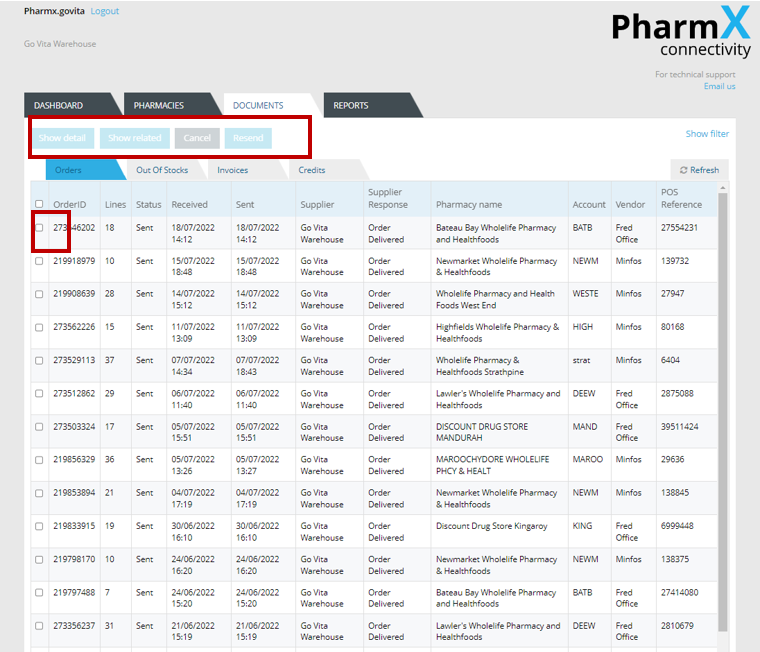
Tick the check box next to the document you would like more information on.
You can then select either ‘Show Detail’, ‘Show Related’, ‘Cancel’ or ‘Resend’

Show detail will provide details of the order or invoice selected.
Show related will find any other documents related to the selected document.
Cancel will only stop the gateway from sending an order. It will not cancel an order that has been successfully sent.
Resend will resend the selected document. Be aware that resending an order or invoice may result in duplicate being processed.
Using the filter option will help to narrow down the search for documents.
Click ‘Show Filter’
Enter any search details you have such as date range, order or invoice ID, account number etc
Click ‘Refresh’